A warehouse or logistics operation puts a very different demand on the internet than an office does. It is not one desk of people on video calls — it is CCTV recording around the clock, barcode scanners talking to a warehouse management system, tablets at loading bays, and a small office up front, all spread across a large floor and often a yard. So business internet for a warehouse in Dubai comes down to two questions most other businesses never worry about: is there even fibre in this unit, and how do I get WiFi to reach the far end of the floor. Get those right and the rest is straightforward.
Step 1: Check Fibre Before You Sign the Lease
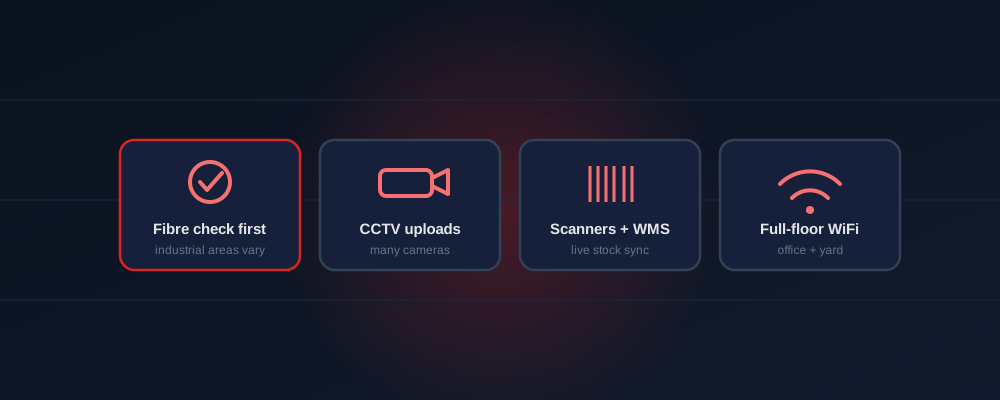
This is the single most important step, and the one warehouses skip most often. Coverage in the UAE is building-by-building, and industrial areas are far less consistently served than commercial towers. Many units in Jebel Ali, Al Quoz, DIP, National Industries Park and similar zones do have fibre — but older warehouses, standalone units and large yards frequently do not have it terminated inside the building. If fibre is not there, bringing it in is a civil-works job measured in weeks, so a one-line question to the landlord before you sign can save your go-live date. Where fibre genuinely cannot reach in time, a wireless business connection is the practical alternative. The timeline impact is covered in the installation time guide.
What a Warehouse Actually Runs On
- CCTV — often many cameras, needing steady upload to record and view remotely
- Barcode scanners & handhelds — talking to the WMS in real time across the floor
- Warehouse management system (WMS) — stock, picking and dispatch syncing live
- Loading-bay tablets — proof of delivery, driver check-in
- Front office — email, accounts, calls and the usual business tools
The heavy, constant load here is upload (CCTV) and coverage (scanners everywhere), not raw download. That shapes both the plan size and the WiFi design.
Step 2: WiFi That Covers the Whole Floor
A single router will never cover a warehouse — signal dies between racking, at the far wall and out in the yard, exactly where scanners need it. Full coverage comes from multiple access points placed across the floor and loading areas, all wired back to the business line, so a handheld keeps signal from the office to the last aisle. This is a coverage design job on top of the internet connection, not a matter of buying a faster tier. The how-to for placing access points and killing dead zones is in the business WiFi guide and the WiFi setup guide.




Which Plan for a Warehouse
Size mainly by camera count and how many scanners run at once. Most single units land in these tiers:
Per month, before 5% VAT. Each includes a firewall, voice line and Microsoft licences; access points for full-floor coverage are a separate one-off. Full pricing is in the price guide.
Multiple Sites? Connect Them Together
Logistics businesses rarely run from one unit. If you operate a warehouse plus an office, or several depots, the connections can be linked so stock systems and CCTV are reachable across sites under one account. That is the wider B2B setup — internet, voice and security across locations — laid out in the e& B2B solutions guide, and corporate SIMs for drivers and field staff are in the corporate SIM guide.
Frequently Asked Questions
Is fibre available in industrial areas?
It varies unit by unit — many zones have it, but older units may not. Always confirm fibre at the specific unit before signing; wireless is the fallback.
How do I cover the whole floor?
Multiple access points across the floor and yard, wired to the business line — not one router. It's a coverage design, not a bigger speed tier.
What does it cost?
From AED 1,095/month (200 Mbps) for a small unit; AED 1,475–1,875 for busier sites with more cameras and scanners. Firewall and voice included.
Connecting a warehouse or depot?
Send your unit address on WhatsApp. We'll check fibre availability first, size the plan for your cameras and scanners, and design full-floor WiFi — free, no obligation.
Check My Warehouse on WhatsApp